Google Play feature graphic generator
Add your app name, icon and screenshots, pick a theme — and download a 1024 × 500 feature graphic that Play Console accepts on the first try. Matching phone and tablet screenshots included.
Drop your app screenshots here Start with your app screenshots
PNG, JPEG or WebP — straight from your phone or simulator
Nothing is uploaded. Your images stay on this device.
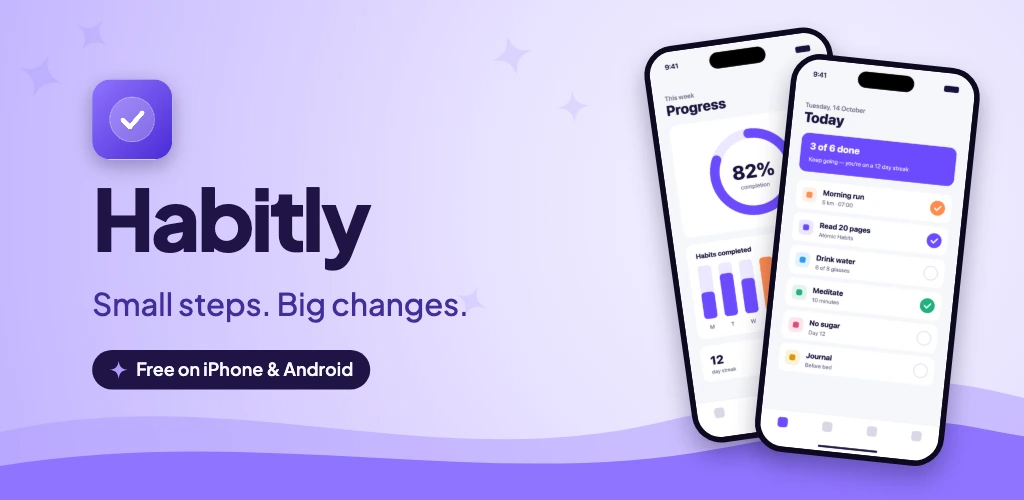
How to make a feature graphic
- Drop in your app screenshots — they become the screens shown on the banner (and your store screenshots).
- Add your app name, icon and a short tagline. One benefit is plenty; skip words like “Free”, “New” or “#1”, which Google advises against.
- Pick a theme and layout. Use Customize above the banners to switch between two phones, one phone, three phones or centre stage. Choose Frameless to show your UI without device imagery.
- Download the ZIP. The feature graphic is in the
Google Playfolder asfeature-graphic-1024x500.png.
Feature graphic requirements (November 2026)
- Size: exactly 1024 × 500 px.
- Format: JPEG or 24-bit PNG, no alpha channel.
- Required: yes, for every Google Play listing.
- Safe zone: keep the app name and key visuals near the centre; edges can be cropped or covered by a play button.
The full specs, placements and design tips are in the feature graphic size guide.
Why use this instead of Canva or Figma?
- Correct by default. Exact pixel size, RGB without transparency — no export settings to get wrong.
- Matches your screenshots. The banner reuses your theme, font and screenshots, so the listing looks like one piece.
- Private. Nothing is uploaded — handy for unreleased apps.
- Every other size, too. Google Play phone and tablet screenshots and all App Store sizes from the same project.
FAQ
Is the feature graphic generator free?
Yes. No sign-up, no watermark and no limit on downloads. It runs entirely in your browser, so your app screenshots are never uploaded.
What size does it export?
Exactly 1024 × 500 pixels as a 24-bit RGB PNG without transparency — the format Google Play Console requires for the feature graphic.
Can I make the screenshots at the same time?
Yes. The same project exports Google Play phone and tablet screenshots, plus every App Store size, in one ZIP — all in matching colours and fonts.
Do I need design skills?
No. Pick one of the hand-tuned themes, add your app name, icon and a short tagline, and the layout is done for you. You can switch between four banner layouts with one click.
Can I make feature graphics in other languages?
Yes. Add languages from the language menu and type your translated tagline. Each language exports to its own folder, ready for Play Console’s per-language listings.
Related guides
Google Play screenshot sizes
Phone and tablet screenshot sizes, limits and the rules Play Console enforces.
Google Play feature graphic size
The required 1024 × 500 banner: specs, safe zones and design tips.
App Store screenshot best practices
Headlines, ordering and design choices that make people tap “Get”.